Triggering the Partnering process from Live Platform
You can trigger the partnering process by creating new "Consentless" leads instead of the customer triggering the process in their Teams admin center. Using this method, the Microsoft Operator Connect portal is notified that you are their preferred operator. Once the lead is created and the Live Platform OC Essentials license is applied, the customer must then configure their Calling regions and Company Size under your operator in their Teams admin center. Once this is done, you can upload numbers to the customer tenant (number upload validates the configured Calling regions in the Operator Connect Operator Settings in customer Teams admin center).
| ➢ | Do the following: |
| 1. | In the Services page, from the Add Service menu, choose Teams: Operator Connect. |
| 2. | Choose the relevant tenant and then click Select. |
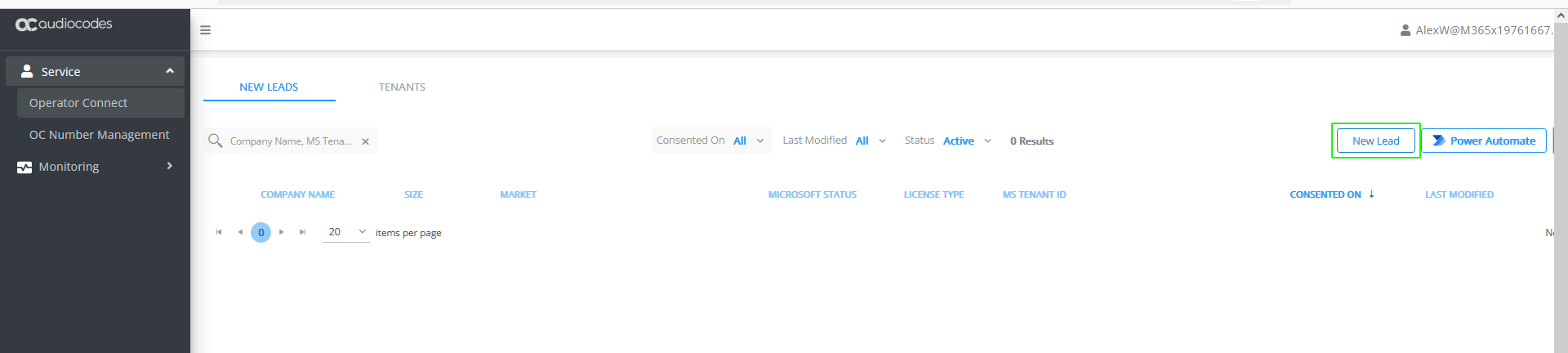
| 3. | In the New Leads page, click New Lead. |
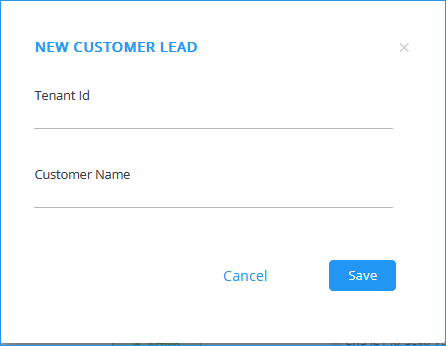
| 4. | Enter the Customer Tenant Id and Customer Name. When the lead is created this name is displayed as the Company Name. |
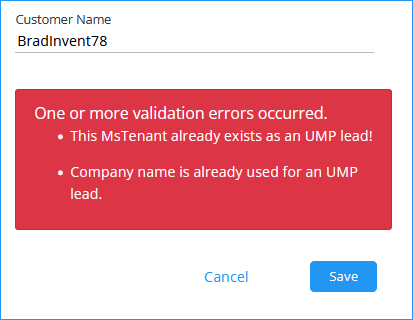
The following error may occur when a lead already exists for the tenant or when the company name has already been used for another lead.
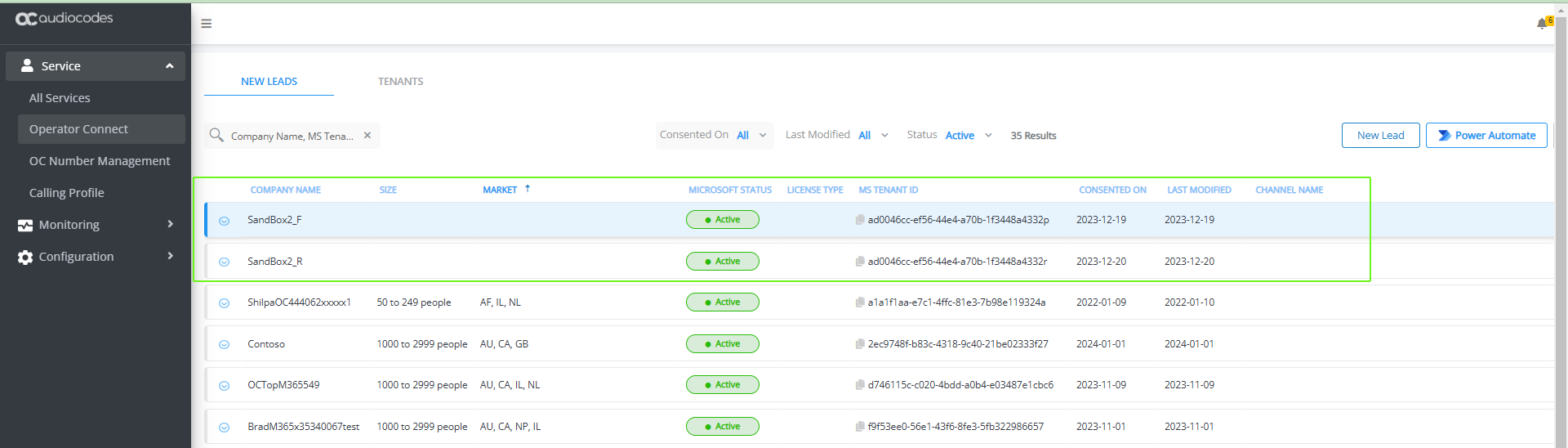
Once created, Active Microsoft Status is shown. Note that the new leads created in the Multitenant portal (Consentless Leads) do not have any Market and Size configuration.
| 5. | Proceed to Creating New Customer from a Lead. |